
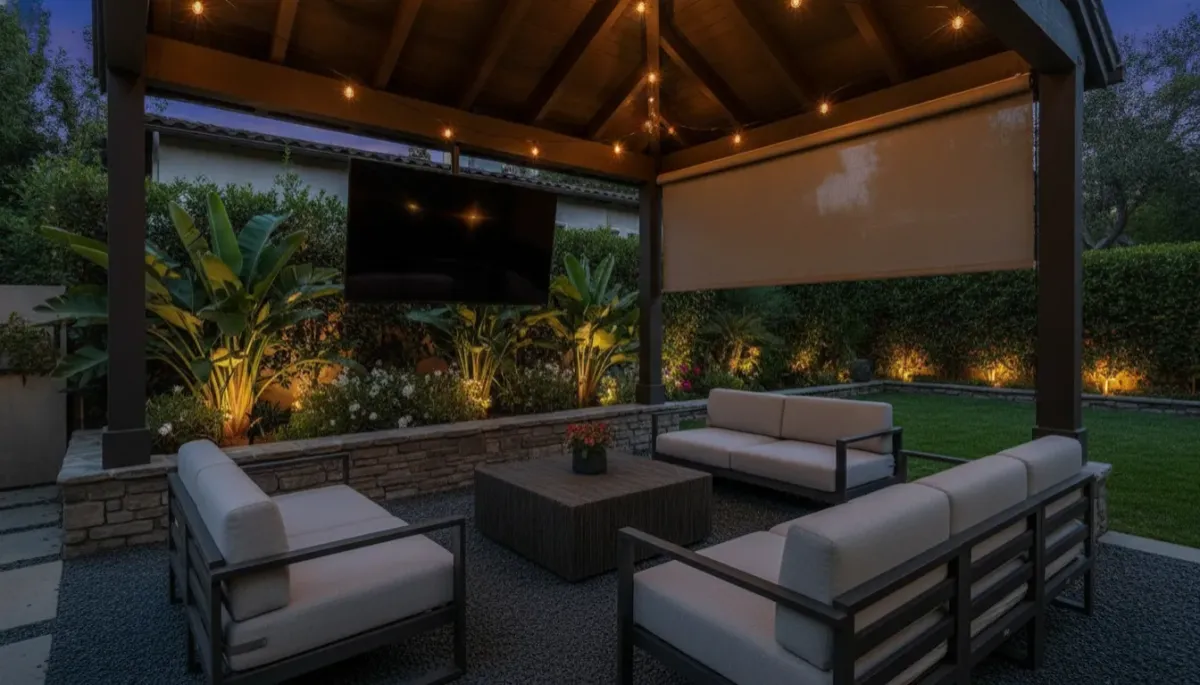
Outdoor TV Maintenance: A Homeowner Guide
Outdoor TV maintenance is the quiet work that keeps a patio screen usable after sun, dust, salt air, and summer heat. A display can look fine on Friday and go dark, hazy, or stuck on one input by the next weekend. Most of that wear is gradual, and it shows up in a dirty screen or a clogged vent. It also shows up when a cover stays on while the set is running, or when a remote no longer talks to the TV.
Schedule Your On-Site Design Consultation Today
This guide is a practical checklist for a television that is already outside. It covers cleaning, ventilation, covers, connections, remotes, shade, and storm prep. It does not tell you which model to buy, how to price an install, or how to design a whole entertainment system. Those are separate jobs, and care intervals are not universal. Follow the manual for your set, and treat anything electrical, structural, or signal-related as a reason for an on-site evaluation.
What Outdoor TV Maintenance Actually Covers
Good care starts with a simple split. Some jobs are safe for a careful homeowner, while others belong to a technician who can open a junction box, test a circuit, or check a mount without guessing.
Routine care is what you can see and reach without tools that open the set. Wipe the screen the way the maker says to. Brush debris off the housing. Look at the vents, and put the cover on when the TV is off and fully cool. Check that the remote has fresh batteries and a clear path to the sensor. Glance at visible cables for cracked jackets, standing water in a connector boot, or a plug that has worked loose.
Professional service starts where power, structure, or the signal path is involved. A warm smell is not a cleaning problem. Neither is a tripped breaker, a shifted mount, a picture that cuts out only in the rain, or an enclosure that runs hot. Outdoor Lights + Shade designs and installs outdoor audio and video as part of a full outdoor-living plan. If the screen is one piece of a larger patio system, an evaluation can look at the display, the sound, and the controls together.
Service-area availability matters before anyone promises a visit. The company works with homeowners in the Los Angeles area, the Inland Empire and Temecula Valley, and the Dallas Metroplex. Lake of the Ozarks is marketed as coming soon, not as an active service area, and a consultation is an on-site design visit. It is not a free repair, a free product, or a promise that every older set can be restored in place.
Build a Seasonal Outdoor TV Maintenance Checklist
A useful checklist is short enough to finish in one visit and specific enough that you know what "done" looks like. Do a light pass every month you use the patio. Do a deeper pass at the change of season, and again before a forecast storm. Skip any step your manual forbids, because a partial-shade patio in Los Angeles and a fully exposed Dallas terrace do not age a screen the same way.
Check. | What to look for. | Safe homeowner step. | Stop and call a pro. |
|---|---|---|---|
Screen and housing. | Dust, salt film, pollen, water spots, or a soft haze. | Clean with the method in the manual. Put cleaner on a cloth, not on the glass. | Stop for cracks or moisture behind the glass. Also stop if the picture stays cloudy. |
Vents and filters. | Leaves, lint, bugs, or a filter mat that looks packed. | Clear debris from the outside. Wash a removable filter only if the manual says so. Dry it fully. | Stop if you would have to open the cabinet. Also stop if the housing stays hot. |
Cover. | A damp, torn, or sun-brittle cover. Also one left on while the set is on. | Cover only a cool, powered-down TV. Dry the cover before you store it. | Stop if the cover is the only weather plan for a set that is not outdoor-rated. |
Connections. | Loose HDMI or power ends, green corrosion, or cracked boots. | Reseat a plug you can reach without opening a box. Note which input failed. | Stop for burn marks or a warm outlet. Also stop for wiring inside a wall. |
Remote and control. | Weak batteries, a blocked sensor, or an app that lost the device. | Replace batteries. Clean the sensor window. Re-pair from the manual. | Stop if the soundbar or shade remote fails with the TV. |
Storm prep. | Wind, heavy rain, hail, or a long cold snap in the forecast. | Power down. Cover the set if the maker allows it. Move loose remotes indoors. | Stop if the mount moves or water enters. Also stop if power will not return. |
Write the date of each pass in a note on your phone. That record helps a technician later, and it stops you from inventing a fixed interval the manufacturer never published. If the manual says to clean a filter regularly in dusty or salty air, use a local cue. Pollen season or an ocean breeze matters more than a calendar you found online.
Clean the Screen and Housing Without Damaging It
Cleaning is the step most people rush, and the one most likely to leave a permanent mark. Outdoor sets often have a coated front window, not a bare indoor panel. SunBrite's care sheet for its all-weather sets is specific. Spray glass cleaner onto a lint-free or microfiber cloth, then wipe the window. Do not use acrylic cleaners. It also says to lift dirt and salt with a rinsed cloth so grit does not scratch the surface. Skip harsh chemicals, abrasives, and solvents. That sheet is one maker's instruction. Yours may differ. Read it before you buy a bottle.
Work in the shade with the TV off and cool, because a hot panel and a cold cleaner can leave streaks, and direct sun makes it hard to see what you missed. Support the cloth with a flat hand, and do not press a fingertip into one spot. Wipe in one direction, then flip to a clean face of the cloth. If the patio faces the ocean or a pool, salt and mineral film come back faster. Rinse the cloth often in clean water and wring it so you are not dragging salt across the coating.
The housing needs the same patience, because bugs collect in speaker grilles and along the bottom lip. A soft brush is enough for loose debris, so skip pressure washers, bleach, and any solvent that would strip a car's trim. If your manual allows it, use a barely damp cloth with a drop of mild dish soap on the cloth. Do not pour soap on the TV. That can lift grime from the cabinet. Dry the seams so water does not sit inside a port door.
Snow and ice, where you actually get them, come off with a soft brush and a towel. Do not chip ice with a card, a key, or a plastic scraper, because a coated window is easier to scratch than it looks. In a mild winter climate, the larger risk is a cover that traps damp air for weeks. Take the cover off on a dry day, let the set air, and put the cover back only when both the TV and the fabric are dry.
What not to use on the front
Paper towels can leave lint and fine scratches.
Skip ammonia or alcohol mixes unless the manual names them.
Skip acrylic, car-wax, or shine-restore products.
Do not aim a garden hose at vents, ports, or the bottom edge.
Keep Air Moving Through Vents and Filters
Heat is a slow failure. A weather-rated set can still suffer when its intake is packed with lint. A tight cabinet with no way to shed warmth causes the same problem. Look at the vents from the outside, where leaves, spider webs, and dryer-like lint are common on a covered patio that also holds a grill. Clear what you can see with a soft brush, and do not push debris farther in with a stick or a vacuum crevice tool.
Some outdoor televisions have a fiber filter behind an intake. SunBrite's older care sheet describes a simple filter wash. Pull the filter out. Wash it with mild detergent and warm water. Rinse it, let it dry completely, and put it back. Do this only when your own manual shows a removable filter and the same steps, and if you cannot see a filter, do not remove screws to go looking for one. Opening the cabinet can void a warranty and expose live line voltage.
Covers and enclosures change the airflow story. A fitted dust cover is for a TV that is off. SunBrite describes its outdoor dust cover as weatherproof fabric with UV protection. It is meant to shield the window from sun and from wind-blown scratches while the set is off. Running a television under a sealed cover traps heat. If you use a third-party enclosure, confirm it was built to be on while the TV is on, and that its fans or vents are clear. An enclosure buying decision is a different article. This check is only about whether the box you already own can breathe.
After a long movie night, rest the back of your hand near the exhaust, not on a hot metal fin. Uncomfortable heat that lingers after the picture is off is a clue, not a measurement. Note it, and if the TV also dims, shuts down, or restarts on hot afternoons, stop using it in peak sun and book an evaluation. Shade from a structure or a patio shade can lower the heat load, but it does not replace ventilation.
Check Connections, Remotes, and the Picture Path
Many calls that start with a dead television are a loose end or a tired remote. Start with the simple path before you assume the panel failed.
Confirm the outlet or switch that feeds the TV still has power. A landscape lighting timer and a TV outlet are easy to confuse.
Look at the power cord and any visible HDMI or optical cable. You want intact jackets, dry connectors, and plugs that seat fully.
Select the input you normally use. If one input is dead and another works, the screen itself is probably fine.
Replace the remote batteries. Clean the small sensor window on the TV with a dry microfiber cloth.
If you use an app or a smart-home remote, re-pair it from the device manual. Note the error, if any.
Power the set down, wait a minute, and power it back up once. Do not keep cycling a set that smells hot or pops a breaker.
Stop when the problem leaves that list. Green corrosion inside a weather boot is an electrical issue. So is a cord that feels warm. So is a GFCI that trips as soon as the TV starts. A cable that disappears into a column is the same kind of problem. So is any work in a buried conduit. Those are not Saturday projects. A technician should open them.
Sound that cuts out while the picture stays up often lives in a separate speaker or a soundbar rather than in the panel. If the patio audio fails on its own, the audio system needs its own look. Outdoor Lights + Shade's guide to outdoor audio installation cost explains how a sound system is planned and priced. It is not a repair manual, but it shows why a TV and a speaker zone should be checked as one system when both misbehave.
A remote that works only from one angle usually means the sensor is blocked. A cover flap, a shade cassette, or direct sun on the receiver can do that. Glare on the picture is a separate placement and brightness issue. Cleaning will not fix a screen aimed straight into the western sun. A motorized patio shade can cut that glare during the hours you watch, if the shade was planned for that opening. Heat-gain claims for shade products vary. Treat any "up to" figure as a company claim, not a promise for your patio.
Prepare the TV for Storms and Off-Season Weeks
Storm prep is short on purpose, because you are reducing exposure rather than rebuilding the install.
The day before heavy wind or rain, power the television down and let it cool. Put on the manufacturer cover if you have one and the manual allows it. Bring loose remotes and the soundbar remote inside. Move patio cushions or decor that could blow into the screen. If the TV sits on a rolling cart, roll it under real cover or indoors. A furniture cover is not a weather-rated enclosure.
After the weather passes, do not power up a set that was openly rained on. Dry the exterior, do not tip the set, and look for water in the port doors. If you see moisture behind the front window, leave the set off and ask for service. Condensation that appears on a cold morning and clears as the air warms can be normal on some installations. Moisture that pools or clouds the image is not normal.
Long idle periods need a plan too, because a cover left on for months in a marine layer can hold dampness against the housing. On a dry afternoon, remove it, confirm the vents are clear, and let the area air out. Then cover it again if the manufacturer recommends a cover for sun protection. Partial-shade patios still receive UV on the bezel and on plastic port doors. A brittle door that no longer closes is worth noting before the next rain arrives.
If a storm shifts the mount, cracks a fastener into masonry, or leaves the screen tilted, do not keep using it. A shifted mount is a structural problem, not a cleaning problem. The same is true if a shade, a pergola beam, or a speaker was tied to the same structure and now sits out of line. An on-site visit can tell you whether the TV, the mount, or the structure needs work. That visit is scoped to your property, and it is not a blanket warranty on equipment another company installed.
Know When Routine Care Is Not Enough
Call for an evaluation when the symptom points past a cloth and a battery swap. Use this list as a filter. It is not a diagnosis.
The TV will not power on, or it powers on and then shuts off, after you confirmed the outlet.
A breaker or GFCI trips when the set or its enclosure fan starts up.
You smell hot plastic, or you see discoloration at a plug, an inlet, or an outlet.
The picture has lines, a dark pool, or moisture that careful cleaning does not change.
The signal drops only during rain, wind, or a hot afternoon.
The mount has play, the screen tilts by itself, or the fasteners look rusted through.
An indoor TV was placed outside, and a cover is the only protection it has.
An indoor television outside, even under a roof, is a different risk from a weather-rated display. A cover blocks some rain and sun while the set is off. It does not make the chassis outdoor-rated, and it does not manage humidity. If that is your setup, the next step is a design conversation. Talk about a proper location, a rated display, and how the screen fits with lighting and shade. Planning that full patio system is covered in the outdoor entertainment system installation guide. This article stops where the current setup is no longer a care task.
Bring a few facts to the visit so the time is spent on your patio rather than on guesswork. Note the brand and model if you can read them. Also note the season the problem started, whether it happens in sun or rain, and which input fails. Mention nearby speakers, a shade, and any landscape lighting on the same circuit. Photos of the mount, the vents, and any damaged cable end help, but do not remove the TV from the mount for the photo.
Request an on-site look at your outdoor TV and patio system
Frequently Asked Questions
How often should I do outdoor TV maintenance?
No single interval fits every patio. A light look each month you use the TV is a sound habit and should cover screen film, vents, the cover, and the remote. Do a fuller pass when the season changes and again before a storm. Dusty, salty, or poolside air needs more frequent filter and housing care when your manual calls for it. Follow that manual instead of a generic schedule from the internet.
Can I use household glass cleaner on an outdoor TV?
Use household glass cleaner only if your manual allows it. At least one outdoor-TV maker tells owners to put glass cleaner on a microfiber cloth, not straight on the window. That same sheet says to avoid acrylic cleaners, abrasives, and solvents. Another brand may ban glass cleaner because of a special coating. If you do not have the sheet, look up the exact model before you spray anything.
Should the cover stay on while the TV is on?
No. A dust cover belongs on a cool television that is powered down. Running the set under a closed cover traps heat inside the housing. If you need weather protection while you watch, you need an outdoor-rated display or an enclosure built to operate with the TV on and with real ventilation. A furniture cover is not that kind of product.
Why does my outdoor picture look dull even after cleaning?
Film on the window is only one possible cause. Direct sun, a brightness setting left in a night mode, or a coating scratched by paper towels can all flatten the image. Moisture trapped inside the panel will not wipe away. If a careful cleaning and shade during viewing hours do not help, stop polishing and have the set evaluated.
Who should look at electrical or mounting problems?
A qualified installer or service technician should handle those problems. Outdoor Lights + Shade can evaluate an existing outdoor TV during an on-site consultation in its active service areas. That visit can include how the screen relates to the audio, the lighting, and the shade. The consultation is a design visit, and you can schedule it. Repair work, replacement parts, and any later installation are proposed only after someone has seen the property. Scheduling depends on whether your property is in an active service area.


