
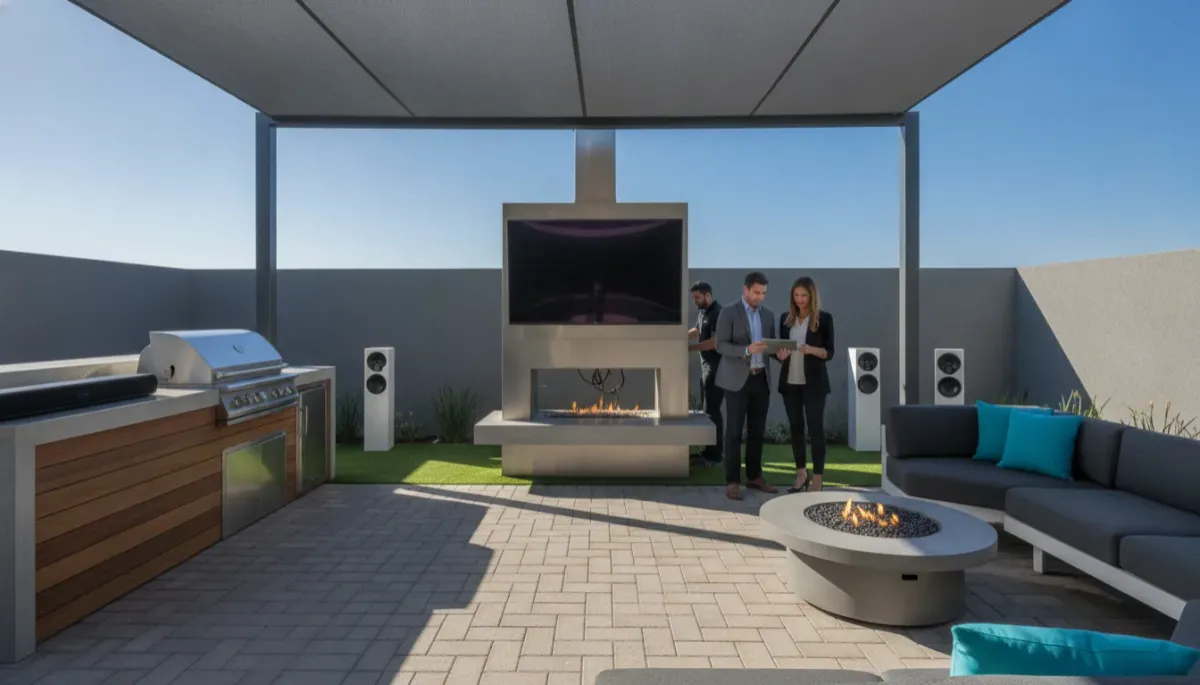
Outdoor Entertainment System Installation: 5 Key Steps
Your backyard should work for the way you actually spend time outside. Maybe you want music near the dining table, a screen for game days, or separate sound zones for the patio and pool. The right setup depends on your space, equipment, and the conditions each component will face. Outdoor entertainment system installation can involve speaker placement, display mounting, wiring, network coverage, and smart controls, so planning ahead can save frustration later. This guide walks through the key decisions, including equipment, cost, DIY versus professional help, and maintenance. You’ll learn how to plan a system that feels comfortable to use and fits naturally with your home.
Key Takeaways
Start with your outdoor routines: Map seating, viewing areas, listening zones, sun exposure, power, and Wi-Fi before selecting equipment.
Choose gear for its exact location: Check outdoor ratings, sound coverage, screen visibility, control compatibility, and installation requirements.
Plan for lasting performance: Compare itemized quotes, coordinate entertainment with lighting and patio shades, and follow manufacturer care instructions.
Plan Your Outdoor Entertainment System Layout
Begin with the activities you want your outdoor space to support. A setup for relaxed dinners may call for different speaker and screen locations than one designed for poolside movies or lively gatherings. Walk the space at the times you expect to use it, and note seating, sun exposure, views, and areas where you want sound or shade. Planning these details first can help you choose equipment that fits the space and keep wiring discreet.
Outdoor conditions matter just as much as the layout. Sun, moisture, dust, and Wi-Fi coverage can affect your equipment and how well it performs. An experienced installer can plan audio-video alongside lighting and automated shades, creating a setup that feels integrated with your home and landscape.
Map dining, lounging, poolside, and entertaining areas
Sketch your patio, yard, and pool area, then mark the places where people gather: the dining table, lounge seating, cooking area, and poolside chairs. Note how many people each spot typically accommodates and whether guests will face a screen or talk across the space. These details help determine where speakers, displays, and controls will be most useful.
Think about how people move between areas, too. Equipment should not obstruct walkways or compete with views from inside your home. If your seating changes for larger gatherings, identify flexible areas that may need wider sound coverage. Browsing the Outdoor Lights + Shades project gallery can give you ideas for incorporating entertainment features into a finished outdoor space.
Define listening zones, speaker placement, bass coverage, and sound spill
Decide whether you want music across the whole yard or separate listening zones, such as one for dining and another near the pool. Independent zones let you adjust volume in each area, making it easier to enjoy music without overpowering conversation. Rather than relying on one or two loud speakers, plan for even coverage. Landscape speakers placed throughout the yard can help distribute sound across a larger space.
Consider bass coverage and sound spill as well. A subwoofer adds depth, but its location affects how bass carries through your yard and beyond your property. Account for seating positions, property lines, and nearby neighbors when planning speaker direction and volume. Outdoor acoustics differ from indoor rooms, so ask your installer to review the layout before equipment placement is finalized.
Choose an outdoor-rated TV, protected display, or projector
Choose a display based on where and when you plan to watch. An outdoor-rated TV is designed for exterior conditions. A protected display may work on a covered patio if its placement and enclosure meet the manufacturer’s requirements. A projector can suit occasional movie nights, but it needs a screen, enough space for a clear image, and control over ambient light.
Avoid using an indoor TV outdoors unless the manufacturer confirms it is suitable for that setting. Moisture, ultraviolet exposure, and temperature changes can damage equipment. For daytime viewing, consider both screen brightness and shade, since direct sun can make an image hard to see. This outdoor AV planning guide explains why display ratings and sun exposure deserve attention before installation.
Plan for sun, glare, moisture, dust, power, wiring, and Wi-Fi
Check the sun’s path at the hours you expect to watch. A covered patio or automated shade can limit glare and make viewing more comfortable. Shades can also help manage heat: Outdoor Lights + Shades’ automated patio shade solutions can reduce heat gain by up to 90%.
Then assess exposure to rain, sprinklers, pool splashes, dust, and temperature changes. Choose equipment rated for its specific location, and plan protected routes for power and signal cables. Test Wi-Fi where the equipment will be installed, since a strong indoor connection may not reach the yard reliably. Account for outlets, conduit, and any network improvements before work begins. Planning these practical details early can reduce installation surprises and help keep the finished setup neat.
Coordinate audio-video with lighting, shades, and smart-home controls
Think about how entertainment equipment should work with the rest of your outdoor space. You might want to dim landscape lighting for a movie, brighten the dining area for dinner, or lower the patio shades when afternoon sun reaches the screen. Planning these scenes early helps you choose compatible equipment and controls.
Decide whether you prefer a wall keypad, phone app, or voice assistant, then confirm that your audio-video, lighting, and shade systems can work together. Ask your installer to explain how each control works, what happens if the network is unavailable, and how to operate the system manually. Professional design can help coordinate equipment and controls with your space, as well as identify installation and safety requirements. For answers to common project questions, visit the Outdoor Lights + Shades FAQ.
Compare Outdoor Entertainment System Features
Outdoor entertainment equipment needs to do more than deliver clear sound and a good picture. It should suit your space, stand up to the conditions at its installation point, and work with your home’s power, network, and controls. A covered patio in Los Angeles, a poolside lounge in the Inland Empire, and an open Dallas backyard may each call for different equipment and protection.
Start by mapping how you’ll use each area. You might want background music across the yard, focused sound near the dining table, or a TV that’s easy to watch from shaded seating. Then compare the components as one connected system: speakers, subwoofers, displays, mounts, wiring, and controls. Check each product’s outdoor-use guidance, warranty, and installation requirements before you buy.
Also consider how the equipment will look alongside your home and landscape, and how you’ll access it for maintenance. Planning audio-video with lighting and automated patio shades can make the space feel cohesive and easier to use. Explore the Outdoor Lights + Shades project gallery for examples of outdoor systems designed around the home.
Compare outdoor speakers, subwoofers, displays, mounts, and enclosures
List the equipment you need before comparing products. Outdoor speakers may mount beneath an eave, blend into the landscape, or sit near a pool. A subwoofer can add depth to music and movie sound, while an outdoor-rated TV or protected display can anchor a viewing area. Mounts and enclosures also matter: they help secure equipment and protect it in exposed locations.
Compare each component’s intended use, installation needs, and compatibility with the rest of the system. Don’t choose a speaker based only on appearance or a display based only on screen size. Review manufacturer instructions for placement and protection, and plan how wiring will be routed. Outdoor speaker installation guidance offers helpful considerations for weather exposure and protected connections.
Evaluate brands for outdoor ratings, warranties, and support
Look for products specifically designed for outdoor use, then check what the manufacturer means by that claim. Review the stated temperature range, weather-resistance guidance, warranty terms, and service options. Confirm whether the warranty covers outdoor installation and whether it requires particular mounting or protection. A clear support process can help if a component needs service later.
Compare products based on where and how you’ll use them, not just on brand recognition. A TV beneath a covered patio faces different conditions from one mounted in an open area. A speaker near a pool may need different protection from one beneath a deep overhang. Séura outdoor TV guidance explains why displays made for outdoor conditions differ from indoor models.
Match each component’s weather resistance to its placement
Walk through the space and note what each component may encounter: direct sun, rain, irrigation spray, dust, pool water, or temperature swings. Consider the equipment’s exact position, not just the general area. A speaker beneath a roof may avoid direct rain but still face humidity, heat, and insects. A display near a pool may need protection from splashes and airborne moisture.
Use manufacturer instructions to confirm that each product is suitable for its location and to learn what extra protection it needs. Keep cable ends and connections protected, and plan routes that limit exposure and accidental damage. A covered patio does not automatically make indoor equipment suitable for outdoor use. Outdoor system planning advice can help you assess exposure before installation.
Compare sound quality, coverage, volume controls, and zones
Think about where people will listen and what they’ll be doing. A pair of speakers may work well on a small patio, while a larger yard may need evenly spaced speakers for consistent coverage. Separate audio zones let you play music at a comfortable level near the dining area while keeping it quieter by the pool or inside the house.
When comparing systems, consider sound clarity at low and higher volumes, as well as how the setup handles bass. A subwoofer can add fullness, but placement affects how sound carries. Check how you’ll adjust volume in each zone, whether through an app, control panel, or smart-home system. These outdoor audio coverage recommendations explain why speaker placement matters across larger spaces.
Check screen brightness, glare protection, and viewing distance
A TV that looks bright indoors may be difficult to watch outside if sunlight reflects off its screen. Note when and where you plan to watch, including the direction of direct sun and any nearby reflective surfaces. An awning or automated patio shade may help reduce glare. If you expect daytime viewing, ask an installer to compare screen brightness and glare-management features for the specific location.
Measure the distance between the display and the main seating area, then compare it with the screen size and manufacturer guidance. Check that the mount supports a comfortable viewing angle and keeps the display secure. A shaded position may improve the viewing experience more than relying on screen brightness alone. Outdoor display planning tips cover brightness and placement considerations.
Confirm streaming, Wi-Fi, Bluetooth, app, and voice-assistant compatibility
Before purchasing, check how you’ll send audio and video to the system. Confirm that your preferred streaming services, phone, and other devices work with the speakers or display. If you plan to use Bluetooth, check its range in your yard. For app or voice-assistant control, verify that the equipment supports your chosen platform and the specific functions you want.
Outdoor streaming depends on a reliable network connection. Test Wi-Fi where you’ll watch or listen, not just inside the house. Walls, distance, and outdoor structures can weaken coverage, so an access point closer to the patio may be helpful. Plan network access early, especially during a renovation. Outdoor Lights + Shades can coordinate audio-video with smart controls; see the company FAQ for answers to common project questions.
Choose discreet equipment placement that complements your landscape and home
Plan equipment locations alongside furniture, planting, lighting, and walkways. Speakers can blend into the landscape or sit beneath an eave. Position displays where they’re easy to see from the main seating area without making them the focal point when they’re off. Leave enough access for cleaning and service, and keep equipment clear of walkways, doors, and moving patio shades.
Think about wiring at the same time. Concealed, protected cable routes help keep the space tidy and reduce the risk of damage. If you’re building or renovating, discuss conduit and power locations before walls or hardscape are finished. A coordinated plan can bring audio-video together with landscape lighting and automated shades. Browse the Outdoor Lights + Shades gallery for ideas that suit different home styles and outdoor layouts.
Don’t assume indoor equipment or standard Wi-Fi will work outdoors
Indoor TVs and speakers aren’t automatically suited to outdoor conditions. Sun, moisture, dust, and temperature changes can affect equipment and connections, even on a covered patio. Check the manufacturer’s installation guidance for each component and choose products suited to their specific locations. For equipment in sheltered areas, confirm what protection it still requires.
The same care applies to connectivity. A strong signal inside doesn’t guarantee reliable streaming by the pool or across the yard. Test the network where you’ll use the system, and consider an outdoor access point if coverage falls short. Protect cables and connections according to product instructions; avoid improvised covers that could trap heat or moisture. For help coordinating outdoor-rated equipment, wiring, and controls, consider a professional design and installation consultation. Outdoor Lights + Shades serves homeowners in Los Angeles, the Inland Empire, and the Dallas Metroplex.
What Affects Outdoor Entertainment System Installation Cost?
Outdoor entertainment costs depend on what you want to hear and watch, how many areas you want to cover, and what your property needs for a reliable installation. A pair of patio speakers has a different scope from a multi-zone system with a television, subwoofer, smart controls, and protected wiring. Before requesting estimates, make a list of the spaces you want to use and the features that matter most.
Ask installers to explain what each quote includes, from equipment and wiring to setup and testing. This makes it easier to compare proposals and spot costs that may not be obvious at first, such as a new electrical circuit or network improvements. A site visit can help an installer assess cable routes, mounting surfaces, sun exposure, and distance from power and Wi-Fi. For homeowners in Los Angeles, the Inland Empire, and the Dallas Metroplex, Outdoor Lights + Shades can help plan an outdoor system around the home and how you use the space.
Compare audio-only and integrated audio-video setups
An audio-only system can be a good fit for music on the patio, by the pool, or across several outdoor areas. A basic pair of quality outdoor speakers may start around $2,000, while distributed audio across a full property can reach $25,000 or more. The final price depends on the number of zones, equipment, and installation requirements. Review this outdoor audio pricing overview as a starting point, then request a quote based on your layout.
Adding video brings more decisions and equipment into the project. An outdoor-rated television or protected display may need a secure mount, glare planning, power, network access, and a protective enclosure. Ask for separate estimates for audio-only and integrated audio-video options. You’ll be able to see what the added screen and installation work cost, then choose the setup that fits your plans.
Account for equipment, zones, wiring, mounting, and site complexity
The number of listening zones affects both equipment and labor. One patio zone is generally simpler than separate audio for dining, lounging, and poolside areas, each with independent volume control. Speaker and subwoofer locations, cable runs, mounting surfaces, and access to power all contribute to the installation scope.
Property conditions can add complexity. Long distances between equipment, hardscape that limits wiring routes, and exposed locations may call for extra materials or careful placement. Outdoor equipment also faces heat, rain, dust, and pests, so weather ratings and protected connections matter. Outdoor speaker installation guidance explains why installers need to account for weather exposure and safeguard cables and terminations. Ask your installer how these details affect the estimate for your yard.
Budget for electrical work, conduit, network upgrades, and protective enclosures
Equipment is only one part of the budget. Depending on your property, the work may also require new outlets or circuits, conduit to protect wiring, a weather-resistant enclosure, or network improvements for streaming and app controls. A site assessment can reveal these needs before installation begins.
When you review an estimate, check whether it includes permits, electrical work, mounting hardware, cable protection, and system setup. For a display, ask how the installation will address direct sun, moisture, and dust. Have the installer list any optional items separately and explain which ones are necessary for safe, reliable operation. This detail makes it easier to compare proposals on equal terms and plan for costs beyond the speakers or screen.
Weigh upfront cost against durability, performance, serviceability, and maintenance
The lowest initial price may not represent the best long-term value if equipment is not suited to outdoor conditions or is difficult to service. Ask about weather ratings, warranty coverage, replacement parts, and recommended maintenance. For audio, check that the proposed speaker locations provide even coverage at comfortable listening levels, rather than relying on one speaker to fill the entire yard.
Professional design and installation can also help coordinate sound, display placement, controls, and protected wiring. Ask who to contact if the system needs service and whether future upgrades are possible. Reading about common audio-video installation mistakes can help you prepare questions about reliability and usability. Include service and maintenance expectations in your decision, along with the equipment and installation price.
Explore customer financing for a complete outdoor-living project
If you’re planning entertainment alongside landscape lighting or automated patio shades, consider the overall project before deciding what to install first. Planning these features together can help create a more cohesive outdoor space, with lighting, audio-video, and shade controls suited to the same areas and routines.
Request an itemized proposal and compare the cost of completing the project at once with a phased approach. Outdoor Lights + Shades provides information about customer financing for homeowners considering an outdoor-living project. Review the available terms, monthly payment, and total cost, and confirm which equipment and installation services the proposal covers. Financing details can vary, so discuss your options directly with the company before making a decision.
Choose DIY or Professional Outdoor Entertainment System Installation
A portable speaker or a single outdoor-rated display may be a manageable DIY project. A system with multiple speaker zones, concealed wiring, mounted screens, or smart-home controls takes more planning. Before choosing an approach, consider your equipment, outdoor conditions, power and Wi-Fi access, and the time and tools the work will require. A thoughtful plan helps you create a setup that sounds good, looks intentional, and fits how you use your outdoor space.
Consider DIY for simple setups and professional help for custom systems
DIY can work well for a simple setup, such as placing a portable speaker on a covered patio or connecting an outdoor-rated display to a suitable existing outlet. Check the manufacturer’s instructions and confirm that each component is designed for its planned location.
For a custom system with several speakers, a subwoofer, a mounted display, or separate listening zones, professional help can make planning easier. An installer can recommend compatible equipment and placement based on your yard’s layout. Professional AV design and installation can also help the components work together and deliver more consistent performance.
Compare the time, tools, and skills each option requires
A DIY installation involves more than unpacking equipment. You may need to measure viewing distances, check Wi-Fi coverage, identify secure mounting points, route cables, and test speaker placement. Depending on the job, you may also need tools such as a drill, level, cable tester, and weather-appropriate mounting hardware. Allow time to adjust settings and troubleshoot after setup.
Professional installation adds labor to your budget, but can save time spent researching compatibility and resolving setup issues. Ask what the quote covers, including wiring, mounting, programming, cleanup, and a walkthrough of the controls. Reading about common audio-video installation mistakes can help you decide which parts you can confidently handle.
Address outdoor acoustics, secure mounting, power, connectivity, and protected wiring
Open spaces, fences, walls, and hard surfaces all affect how sound travels outdoors. Place speakers to cover the areas where people gather, and aim them toward seating when possible to reduce sound spilling into neighboring spaces. If you’re adding a subwoofer, ask how its position may affect bass throughout the yard.
Choose mounts and equipment suited to sun, moisture, and dust exposure, and plan for safe power access and protected cable routes. Check Wi-Fi signal strength where you’ll stream music or video. Outdoor speaker planning needs to account for both sound coverage and exposure to the elements, as this installation guide for outdoor speakers explains. Indoor equipment and standard backyard Wi-Fi may not meet your needs.
Coordinate equipment, controls, and your outdoor space with professional design and installation
Start with how you use your patio, pool area, or outdoor kitchen. Decide where you want to listen to music, watch a game, and control the system. Then plan speaker zones, display placement, and control access around those activities. If you already have landscape lighting or automated patio shades, ask whether compatible controls can bring these features together.
A professional can assess your layout, power access, equipment placement, and signal coverage before installation. That review may reveal a need for an outdoor Wi-Fi access point, especially across a large yard. Check connectivity plans early, since streaming depends on a reliable signal where the equipment will be used. This backyard AV planning advice offers helpful questions to consider.
Ensure electrical work and installation meet safety requirements
Outdoor installations require equipment and connections suited to the environment. Check whether your plan calls for new outlets, conduit, or other electrical changes, and keep cables protected and secured. Follow product instructions for mounting, clearances, and weather exposure. If the work involves electrical changes, hire a qualified professional who understands applicable safety requirements and local codes.
Before scheduling the project, ask who will handle each part of the work and whether permits or inspections may be needed. An AV installer can coordinate equipment and wiring, while a qualified electrician can address electrical work within their scope. Professional installation can also help keep components and cables organized, as this overview of home entertainment installation describes.
Check for local installers in Los Angeles, the Inland Empire, and the Dallas Metroplex
Look for installers with experience designing outdoor audio-video systems and completing projects similar to yours. Ask to see examples of their work, confirm how equipment and labor are covered, and request a clear description of service and support after installation. Also ask how they handle local requirements and coordinate any electrical work with the appropriate professionals.
Discuss how the system can work with your existing outdoor features, including lighting and patio shades. Outdoor Lights + Shades designs and installs outdoor audio-video systems, lighting, and automated shades in Los Angeles, the Inland Empire, and the Dallas Metroplex. Browse the project gallery to see examples, or visit the company’s FAQ to learn more about its services.
Maintain Your Outdoor Entertainment System
Outdoor speakers, displays, wiring, and controls face sun, moisture, dust, and changing temperatures. A simple maintenance routine can help protect your equipment and keep outdoor movie nights and gatherings running smoothly. Follow the care instructions for each component, since cleaning and weather-protection needs vary by product.
Clean speakers and displays as manufacturers recommend
Dust, pollen, and debris can collect on speaker grilles and display surfaces. Before cleaning, check the manufacturer’s instructions for approved cloths and products. For many screens, a soft, lint-free cloth is suitable for removing dust. Avoid pressing hard, spraying liquid directly onto equipment, or using household glass cleaner unless the manufacturer says it is safe.
Gently remove leaves, cobwebs, and other debris around vents and speaker openings. Don’t push tools into the equipment, and avoid covering it while it is damp or warm. Outdoor-rated equipment is made for its intended setting, but regular, careful cleaning still matters. If you’re unsure how to care for a particular component, check its manual or the manufacturer’s support resources. The outdoor audio-video planning guide offers useful context when selecting equipment for your space.
Inspect connections, mounts, cables, and covers for wear or damage
During seasonal cleanup, look over visible cables, connectors, mounts, and protective covers. Check for loose fittings, cracked housings, frayed cable jackets, corrosion, or signs of moisture or pest activity. Make sure speakers and displays remain securely mounted, especially after strong winds or storms. Don’t tug on cables or open sealed equipment to investigate a concern.
Pay attention to cable entry points and exposed connections, since their protection affects system reliability. Outdoor speaker installation guidance explains why weather ratings and protected terminations are important. If you spot damage, stop using the affected component and contact a qualified installer. Avoid handling wiring that may be connected to power. A professional can assess whether a connection, cover, or component needs attention.
Follow equipment guidance for weather protection and seasonal use
Outdoor equipment may face intense sun, high heat, freezing conditions, heavy rain, and pests. Check each product’s weather rating and care instructions to understand what conditions it can handle. A speaker designed for a covered patio may not be suitable for an exposed poolside location. An outdoor display may also require a particular cover or mounting position, so don’t assume every component can stay exposed year-round.
Before a change in weather, check that covers are intact and fitted as directed. Keep drainage paths clear, and avoid wrapping equipment in materials that trap moisture or block ventilation. If you plan to remove or store a component, follow the manufacturer’s instructions and take care not to strain its cables or mounts. This guide to outdoor speaker installation outlines common environmental stresses. Ask an installer to review the setup if you’re unsure whether your equipment is protected for its location.
Check network connections, controls, and software updates
Streaming and app or voice-assistant controls depend on a reliable network connection. If music cuts out or video buffers, check whether the issue happens only outdoors. Your patio may be beyond your router’s reliable range, even if Wi-Fi works well inside.
Restart network equipment when appropriate, confirm that apps and system software are current, and check that control settings still match your devices. If the outdoor signal remains weak, ask a network professional whether an outdoor access point or another coverage improvement would help. Planning Wi-Fi coverage during installation can prevent problems later, as this outdoor audio-video setup guide explains. For security, keep account credentials private and install updates through the equipment maker’s official app or support site.
Arrange professional service if sound, picture, or controls fail to work as expected
If a speaker crackles, a display flickers, or controls stop responding, note when the issue occurs and which components are affected. Check simple items first, such as the selected input, volume, app connection, and power status. Don’t open sealed equipment or attempt repairs to outdoor wiring, especially near a pool, irrigation, or another water source.
If the problem continues, contact a qualified audio-video installer. A professional can check connections, network coverage, equipment settings, and weather protection, then recommend a repair suited to your system. Service can also help address issues that affect reliability or ease of use. Outdoor Lights + Shades provides custom outdoor entertainment solutions for homeowners in Los Angeles, the Inland Empire, and the Dallas Metroplex. Visit the company’s FAQ page for answers to common project questions.
Frequently Asked Questions
What should I plan before installing an outdoor entertainment system? Start by identifying where you’ll listen to music or watch a screen, how many people typically use each area, and when you plan to use the space. Check sun exposure, seating, power access, and Wi-Fi coverage. These details help guide equipment choices and keep wiring and controls practical.
Can I use an indoor TV or speakers outside? Only if the manufacturer confirms the equipment is suitable for the specific outdoor location. Sun, moisture, dust, and temperature changes can damage indoor products. Choose equipment based on its rating and where it will be installed, and ask an installer about extra protection for sheltered or exposed areas.
How much does an outdoor entertainment system cost? The price depends on the number of audio zones, equipment, wiring, mounting, and any electrical or network work. A simple patio audio setup may cost much less than a multi-zone system with a display and smart controls. Request an itemized estimate so you can compare equipment, installation, and optional upgrades.
Should I install the system myself or hire a professional? A portable speaker or straightforward outdoor-rated display may suit a DIY setup if you can follow the manufacturer’s instructions. Custom systems with multiple zones, concealed wiring, mounted screens, or integrated controls often benefit from professional design and installation. Hire a qualified professional for electrical work.
Can outdoor entertainment work with landscape lighting and patio shades? Yes, compatible systems can coordinate audio-video with lighting and automated shades. For example, you may want to adjust lighting for a movie or lower shades to reduce glare. Ask your installer to confirm which controls work together and how you can operate the system if the network is unavailable.


