
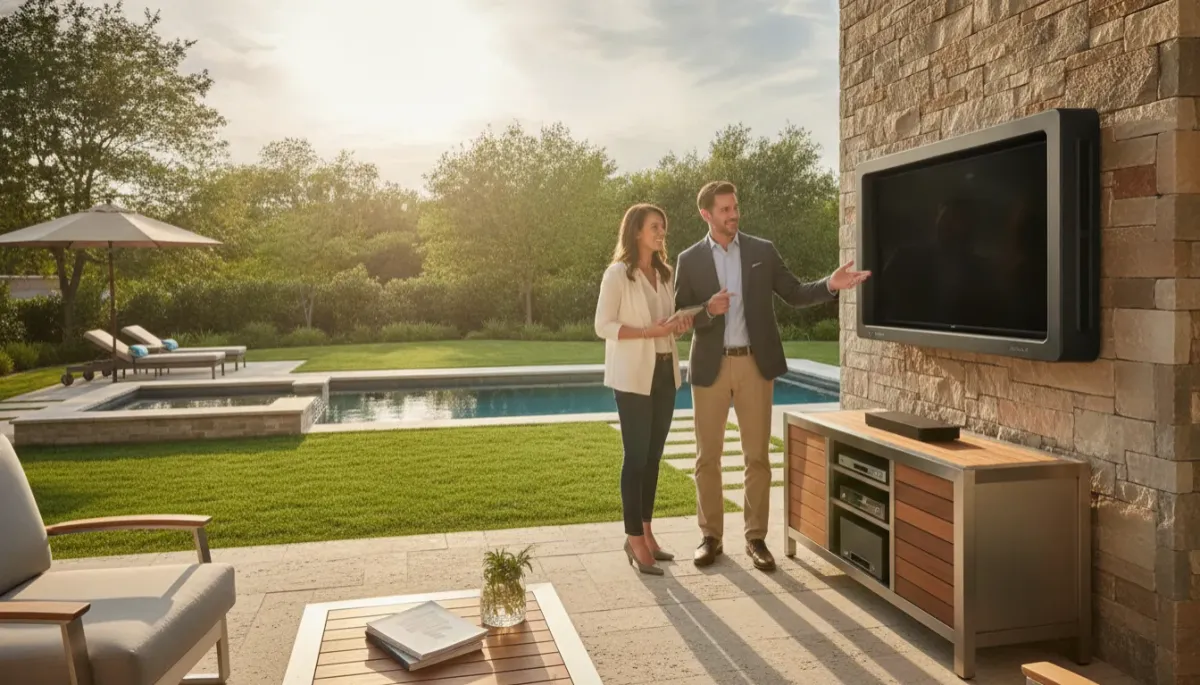
Outdoor TV Installation Cost: What Homeowners Should Budget
Watching TV outside sounds simple until you start planning the details. Will the screen face afternoon sun? Is there a suitable outlet nearby? Can your wall support the TV and mount? These questions can shape the outdoor TV installation cost, sometimes more than the mounting itself. Equipment, cable protection, electrical work, and site access may all factor into the estimate. A covered patio may need a different setup from an exposed wall, and adding outdoor audio can change the project scope. This guide breaks down common costs and practical considerations, so you can request clear quotes and make informed choices for your outdoor space.
Key Takeaways
Budget for the complete installation: Include labor, an outdoor-suitable TV and mount, protected cables, and any electrical or network work.
Check the location before choosing equipment: Assess sunlight, weather exposure, structural support, viewing angles, and access to power and Wi-Fi.
Compare quotes by what they include: Request itemized estimates, confirm extra fees and qualifications, and plan TV placement alongside audio, lighting, or patio shades.
What Does Outdoor TV Installation Cost?
Outdoor TV installation costs depend on more than the time it takes to attach a screen to a wall. Your project may include a mount, outdoor-rated equipment, protected wiring, and electrical work. General TV-mounting prices can offer a starting point, but they are not a complete estimate for an outdoor setup.
Estimate professional labor
As a general benchmark, HomeAdvisor estimates that professional TV mounting averages $248, with many projects costing between $150 and $347. These figures cover typical mounting jobs, so they may not include the extra work required to make an installation suitable for outdoor conditions.
Labor costs depend on the TV’s size and weight, the mounting surface, site access, and how cables need to be routed. Installing a screen on an accessible wall may be simpler than mounting one on brick or stone, or running wiring through a finished area. Ask installers to explain what their labor price covers. Sharing photos of the proposed location and details about your TV can help them prepare a more accurate estimate.
Compare mount and equipment costs with labor
The mount is a separate cost to consider, and the right type depends on how you plan to watch. HomeAdvisor lists prices from $15 to $420 or more for fixed mounts, $75 to $500 for tilting mounts, and $75 to $700 for swiveling mounts. These are broad ranges for TV mounts generally, so confirm that a model is designed for outdoor conditions and can support your screen.
A fixed mount may suit a dedicated seating area, while a tilting or swiveling mount can help accommodate changing viewing angles. Outdoor installations may also need weather-rated cables, a protective enclosure, or other equipment. Ask for labor, the mount, and materials to be listed separately. That makes it easier to see what’s included and compare quotes fairly.
Separate installation-only pricing from full project costs
Some installers advertise mounting-only prices of $70 to $200, with extra fees for more involved work. According to HomeAdvisor’s cost guide, some installers include a bracket, while others charge for it separately. Confirm whether the price covers the mount, cable routing, equipment setup, and testing, or just attaching the TV to the wall.
A complete outdoor installation may also require weather protection, secure connections, or electrical work. These additions can affect the total, particularly if the location needs a new outlet or a longer cable route. Request an itemized estimate and ask which tasks are excluded. This helps you distinguish a basic mounting offer from the cost of a complete outdoor-ready setup.
See how location and project scope affect estimates
The mounting surface can change both labor and materials costs. HomeAdvisor lists mount-related costs from $15 to $600 or more for drywall and $50 to $600 or more for brick, concrete, or stone. These are broad reference ranges, not a quote for your home. Masonry may require specialized fasteners or tools, while a wall without suitable structural support may need reinforcement.
Access, mounting height, and cable distance matter, too. A screen near an appropriate power source may be simpler to install than one across the patio that requires a longer protected cable run. When requesting estimates, share the wall material, approximate height, and distance to power. If you’re coordinating a TV with outdoor audio or other patio features, Outdoor Lights + Shades can help you plan the installation as part of a broader outdoor-living project.
What Affects Outdoor TV Installation Costs?
Outdoor TV installation costs depend on the equipment, mounting location, and work needed to connect and protect the system. A straightforward installation on a covered patio with nearby power may involve less labor than a project that requires structural support, long cable runs, or weather protection. Share photos and details about your space when requesting a quote to help the installer assess the work.
TV size, weight, and mount type
A larger or heavier TV may need a stronger bracket and secure structural support, increasing equipment and installation costs. Mount style also matters. A fixed mount keeps the screen in one position, while a tilting or full-motion model allows more adjustment and may require additional hardware and careful placement.
For TVs over 70 inches or weighing more than 160 pounds, brackets can cost $600 or more, according to HomeAdvisor’s TV-mounting cost guide. When requesting a quote, provide the TV’s model number, size, and weight. Also mention whether you want the screen to tilt or swivel, so the installer can recommend a suitable mount.
Mounting surface, structural support, and height
The mounting surface determines the hardware and installation method. Wood framing, brick, concrete, and stone each require anchors suited to the material. Siding or drywall alone cannot safely support a TV mount. If the installer needs to locate studs, add structural backing, or work with a difficult surface, the job may require extra time and materials.
Mounting height can affect labor, too. A high or hard-to-reach spot may require additional equipment, and the installer needs to ensure the screen remains comfortable to view. SYLVOX’s outdoor TV installation guide explains why the surface and structural support matter. Share the wall or post material and approximate height when you ask for an estimate.
Site access, wind exposure, and distance to power or signal
The distance between the TV and power, Wi-Fi, or a cable connection can affect installation costs. A longer route may require more cable, protective conduit, and weather-rated components. If the installation area is difficult to access, the work may take longer as well.
Wind exposure is another consideration, particularly with a large screen or a full-motion mount that extends from the wall. The mount must attach to a solid surface that can support the equipment securely. Before requesting a quote, note where your outlets and network equipment are, and share photos of the proposed location. This helps the installer evaluate the cable route, access, and mounting conditions before work begins.
Sunlight, glare, rain, humidity, and temperature
Outdoor conditions influence the type of TV and protective equipment your space needs. A screen exposed to direct sun may require a model designed for bright conditions, while a covered patio may suit a full-shade model. Rain, humidity, and temperature exposure also matter when selecting equipment and protecting connections.
Choosing a TV that does not suit its location can lead to poor visibility or equipment problems. Abt’s outdoor TV placement guide describes the differences between full-shade and partial-sun models. Consider how sunlight moves across your patio throughout the day, along with possible exposure to rain and glare. An installer can help assess the conditions before you choose a TV.
Choose a location to avoid costly repositioning
Confirm the TV’s location before installation to reduce the chance of paying for new wiring or additional labor later. Check that the screen will be visible from the main seating areas and that the viewing angle feels comfortable. Also consider access to power and signal, plus how much shelter the spot provides from sun and rain.
A covered patio, pergola, or gazebo may offer useful protection, but each space has different sightlines and exposure. MantelMount’s outdoor TV setup guide recommends weighing shelter, visibility, and power access together. If you are planning other outdoor features, such as patio shades or audio, discuss them before installation so the TV location works with the whole space.
What Additional Costs Should You Budget For?
The TV and installation labor are only part of an outdoor entertainment project. Your estimate may also include an outdoor-rated screen or enclosure, a suitable mount, weather-protected cabling, electrical work, and equipment for streaming or sound. The right combination depends on where you plan to install the TV and how exposed that spot is to sun, rain, dust, and heat.
Before comparing quotes, ask what each price includes. Some installers quote labor only, while others include the mount, cable routing, setup, and cleanup. Confirm whether electrical work, permits, surface repairs, or additional equipment cost extra. An itemized estimate makes it easier to compare projects with the same scope and spot expenses that may otherwise appear later.
Consider the TV location alongside the rest of your outdoor space. A covered patio may need different protection than an exposed wall, and a longer cable route or distant Wi-Fi signal may add work. If you’re also planning outdoor audio, lighting, or automated shades, discuss those features early so the installation can account for them. Outdoor Lights + Shades’ project gallery shows how entertainment features can fit into a larger outdoor-living plan.
Outdoor-rated TVs, enclosures, or weather-resistant covers
An outdoor-rated TV typically costs more than an indoor model, but it is designed for outdoor conditions. Choose one based on the location’s exposure to sunlight, moisture, dust, and temperature changes. A covered patio and an open wall have different requirements, so check the manufacturer’s specifications for the model and intended placement before buying.
An enclosure may be an option if you want to use an indoor TV, but confirm that it is made for outdoor use and allows for proper heat management. A weather-resistant cover can protect a TV when it is not in use, but it does not make every indoor model suitable for outdoor installation. Ask the installer to explain the protection each option provides and whether it fits your site. The outdoor TV installation guide offers additional considerations for choosing and protecting a screen.
Mounting hardware, outdoor-rated cables, and conduit
The mount and hardware need to suit the TV’s size and weight, as well as the surface where it will hang. Brick, stucco, siding, and wood framing call for different fastening methods. Ask how the installer will secure the mount to structural support, rather than relying on the exterior finish alone.
Cable and conduit costs can vary with the distance from power and video sources, and with whether wires need to pass through a wall or run underground. Outdoor-rated cables and suitable conduit help protect connections from the elements and keep cords out of walkways. Plan cable paths before installation to avoid awkward routing or extra work later. This guide to setting up an outdoor TV explains why outdoor-rated cables and mounting hardware matter.
Weatherproof outlets and qualified electrical work
Depending on the installation site, you may need a weatherproof outlet, a protective cover, or other electrical work. Do not assume an existing outlet is suitable just because it is near the planned TV location. Have a qualified professional assess the setup and confirm that the work meets applicable electrical requirements.
Ask whether electrical work is included in the installation quote or priced separately. If a separate electrician is involved, coordinate the work so the outlet is ready before the TV installation. That can help avoid delays or an additional visit. The outdoor TV safety guide also stresses the importance of suitable outdoor outlets and professional electrical work.
Wi-Fi, streaming devices, and outdoor audio/video
A TV needs a reliable signal and the right equipment to deliver the viewing experience you expect. Check whether your Wi-Fi reaches the patio; if the signal is weak, you may need a mesh node or access point. Depending on your setup, budget for a streaming device, cable box, antenna, or other video source, and confirm whether the installer will connect and configure it.
For better sound, consider whether you want outdoor speakers or a soundbar. Include their placement, power needs, and cable routes in the plan. Your installer can also check how connections enter the TV and whether cables need extra protection. This outdoor TV installation guide covers planning for streaming sources and cable entry points.
Permits, surface repairs, and site-specific work
The wall and surrounding area can affect the estimate. A masonry surface may need specific anchors, while siding may require access to the framing behind it. Reinforcement, patching, or repainting can add costs if the mounting area needs preparation. Long cable runs, limited access, or a high mounting location may also require more labor.
Permit requirements depend on your location and the work involved. Ask the installer whether a permit may be needed, who will arrange it, and whether fees are included. Sharing photos of the proposed location, the surface, and nearby power sources can help identify potential issues before work begins. The installation guide from Sylvox discusses how mounting surfaces and site conditions can affect planning.
How Can You Weatherproof and Safely Install an Outdoor TV?
An outdoor TV needs the right display, placement, weather protection, and electrical setup. Planning these details before installation can help protect your equipment and make the screen more comfortable to watch. Consider how much sun, rain, wind, and heat your patio gets, then choose products designed for those conditions.
Choose a TV for the sun and weather exposure
Match the TV to the spot where you plan to watch. A covered patio in the shade has different needs from a wall that gets direct afternoon sun or wind-driven rain. Outdoor TVs are built for brighter conditions and broader temperature ranges than standard indoor models. In sunny spaces, screen brightness is especially important; for shaded patios, other features may matter more.
Check the manufacturer’s guidance to see whether a model is intended for shade, partial sun, or full sun. Compare those recommendations with your patio’s actual exposure before buying. For example, outdoor TV models can vary in brightness and weather protection, so a model suited to one patio may not be right for another.
Check water- and dust-resistance ratings
Look for an IP rating in the TV’s specifications. It describes the device’s resistance to dust and water, but it does not mean the TV can withstand every outdoor condition. Outdoor models may list ratings such as IP54 or IP65. Check the manufacturer’s documentation to understand what the rating means and whether it suits your intended location.
Also check the TV’s operating temperature range and installation instructions. An IP rating does not tell you whether a screen can handle prolonged direct sunlight, standing water, or temperatures outside its stated limits. Use the outdoor TV rating guidance as a starting point, then confirm the specifications for the exact model you plan to install.
Use a sealed enclosure or protective cover when appropriate
A purpose-built enclosure may help shield an indoor TV from dust and moisture, but it needs to be designed for the screen and the conditions it will face. Check that it provides adequate ventilation so heat does not build up, especially in a sunny location. Follow both the TV and enclosure manufacturers’ instructions, and don’t assume that a general-purpose cover makes an indoor TV suitable for outdoor use.
A fitted, weather-resistant cover can help protect a compatible TV when it is not in use. Make sure it does not trap heat or moisture, and use it as directed. Another option for some spaces is a weatherproof lift cabinet that houses the screen when it’s not being watched. This outdoor TV installation guide describes how a cabinet can protect a TV between viewing sessions.
Secure the mount to structural support and account for wind
Choose a mount rated for your TV’s size and weight, then attach it to a suitable structural support. Siding, stucco, and drywall are surface finishes, not reliable anchors on their own. Depending on the wall, the installer may need to locate studs or add appropriate backing. A large screen needs careful support, and a full-motion mount can put extra force on its attachment points when extended.
Consider wind exposure as you choose the location and mount. An exposed TV, particularly one on an articulating arm, can catch gusts. Follow the mount’s load limits and installation instructions, and confirm the viewing height and cable route before drilling. Mounting guidance also emphasizes securing the TV to solid structural support rather than attaching it to siding or drywall alone.
Protect connections and follow electrical codes
Use outdoor-rated cables and protect exposed connections from rain and moisture. Where needed, route cables through suitable conduit, secure them neatly, and keep them away from walkways, hot surfaces, and places where water collects. Planning the cable path before mounting helps prevent stretched or pinched wires and reduces visible clutter.
Outdoor electrical work must meet local codes and use components rated for the installation. A weather-resistant GFCI outlet may be appropriate, depending on the location and existing setup. Ask a qualified electrician to assess the work, and avoid indoor extension cords or improvised connections. This outdoor TV setup guide covers GFCI outlets, outdoor-rated wiring, and cable routing. If you’re also planning outdoor audio or lighting, Outdoor Lights + Shades can help coordinate the equipment as part of your outdoor space.
What Does Professional Outdoor TV Installation Include?
Professional outdoor TV installation should account for more than where the screen will hang. The installer needs to consider the mounting surface, sun and weather exposure, power and signal access, and how you’ll watch from your seating areas. Those details help shape a setup that looks intentional and works comfortably with the rest of your patio.
The scope of work can vary. Some installations focus on mounting and basic connections, while others include an enclosure, concealed wiring, electrical work, streaming equipment, or outdoor audio. Ask for a written description of the work before scheduling, especially if you’re planning to coordinate the TV with patio shades, lighting, or a larger outdoor entertainment system.
A well-planned installation also gives you a chance to catch practical issues early, such as glare at certain times of day or a weak Wi-Fi signal near the TV location. Share your priorities with the installer, including how you use the space and which devices you want to control. For inspiration on combining entertainment with other outdoor features, browse the Outdoor Lights + Shades project gallery.
Get location and viewing-angle recommendations
A suitable location should offer a clear view from your main seating areas and, where possible, some protection from direct sun and rain. Covered patios, pergolas, and gazebos may provide useful shelter, but the right placement depends on the layout of your home, the direction of sunlight, and access to power and signal.
Decide where people will sit before settling on a TV location. An installer can help assess glare, screen height, viewing angles, and whether the wall or post is appropriate for mounting. Mantel Mount’s outdoor TV guide also recommends checking shelter, power access, and visibility from seating areas. If you’re adding automated patio shades, consider how they may affect sun exposure and viewing comfort throughout the day.
Mount the TV securely and connect equipment
Before mounting begins, the installer should check that the wall, post, or other structure can support the TV and hardware. They’ll select a compatible mount and follow the manufacturer’s instructions to secure the screen. If your setup uses an outdoor enclosure, the enclosure is generally mounted first, then the TV is placed inside it.
The installer can connect the equipment included in your project, such as a streaming device or audio components. Ask how the TV will connect to your home network and how you’ll control the screen and sound. Before work is complete, confirm that the mount feels secure and that the screen is positioned comfortably for your seating area. If you’re planning outdoor audio or smart controls, discuss how those components will work together.
Route cables, set up and test equipment, and clean up
Cable routing affects the appearance and day-to-day usability of an outdoor TV. Depending on the home and mounting location, an installer may conceal wiring behind a wall or use outdoor-appropriate raceways or conduit. Cables and connections should be protected from weather, and routes should avoid walkways and places where furniture could snag or damage them. Furrion’s outdoor TV installation guide explains how planning cable paths can help keep an installation neat.
Once everything is connected, ask the installer to test the picture, sound, streaming access, and remote or smart controls. Check that your Wi-Fi or signal works reliably at the TV location. Before the visit ends, have the installer walk you through the setup, explain any care instructions, and clear away packaging and installation debris.
Confirm which services cost extra
Installation quotes can cover different levels of work. One may include mounting and basic setup, while another may include cable concealment, an enclosure, electrical work, or additional audio equipment. Request an itemized quote that separates labor, materials, and optional services. Confirm whether the installer supplies the mount and cables or expects you to provide them.
Ask specifically whether the price includes electrical work, permits, wall repairs, or help resolving a weak Wi-Fi signal. These needs depend on the home and may require separate work or a qualified specialist. Before booking, confirm service availability, the total price, and exactly what installation includes. OnTech’s outdoor TV service details offer a useful example of why it’s worth checking the scope before scheduling. For questions about Outdoor Lights + Shades’ services, visit the FAQ page.
What Mistakes Can Increase Installation Costs?
An outdoor TV installation involves more than choosing a screen and attaching it to a wall. The location, mounting surface, power supply, cable routes, and exposure to sun and weather all affect the work. Overlooking any of these details can mean extra labor, replacement equipment, or repairs later.
Before booking an installer, think through how you’ll use the space and what equipment you want to connect. Consider where people will sit, how sunlight reaches the patio, and whether the TV will be exposed to rain or wind. Make a list of nearby power outlets, Wi-Fi access, and audio components, then share it with the installer. Photos of the proposed location can also help identify obstacles before work begins.
Ask for an estimate that explains what the installation includes, such as the mount, wiring, weather protection, and equipment setup. If you’re planning several outdoor features, such as audio or smart controls, mention them early. Outdoor Lights + Shades offers custom outdoor audio/video solutions and professional installation, which can help homeowners plan equipment around the space. Addressing these details upfront makes it easier to compare quotes and avoid changes once installation is underway.
Install an indoor TV in an exposed location
Indoor TVs aren’t built for outdoor exposure to moisture, dust, direct sunlight, or changing temperatures. Installing one in an exposed spot can damage the screen or other components, leaving you with repair or replacement costs. A covered patio may still experience humidity or wind-driven rain, so consider the conditions the TV will face, not just whether it sits under a roof.
Choose a TV designed for the level of sun and weather exposure at the installation site. If you’re considering an indoor TV for an enclosed space, check the manufacturer’s operating requirements before proceeding. SYLVOX’s outdoor TV guide explains why indoor models may not be suitable for outdoor use.
Choose a mount or wall location without checking structural support
The TV and mount need to attach securely to a surface that can support their combined weight. Siding, thin paneling, or other exterior finishes may not provide enough support on their own. If mounting hardware isn’t fastened to a suitable structure, the TV could become unstable, damage the wall, or fall. Repairs or replacement equipment can make the project much more expensive.
The right mounting method depends on the wall, the TV’s weight, and the mount style. Ask the installer to assess the surface and explain whether reinforcement or a different location is needed. Share the TV model and any available details about the wall when requesting a quote. Outdoor Lights + Shades offers professional outdoor audio/video installation planned around the home and equipment.
Overlook glare, viewing angles, or wind exposure
A location that seems convenient may be uncomfortable to watch from or poorly suited to the conditions. Direct sun can make a screen difficult to see, while a TV mounted too high or at an awkward angle can make viewing less comfortable. Wind exposure is another factor, particularly in an open patio or elevated spot.
Before selecting a wall, consider where people will sit and how sunlight moves across the space. Check the view from the main seating area at different times of day, and ask whether the mount can be adjusted to achieve a comfortable angle. Relocating the TV after installation can mean new mounting work, cable routing, or surface repairs. SYLVOX’s installation guidance covers planning for glare, mounting height, and exposure.
Skip weather-rated electrical components and cable protection
Outdoor electrical connections need components suited to the conditions where they’ll be installed. An indoor outlet or exposed cables may be vulnerable to moisture and can create safety concerns or damage equipment. Replacing unsuitable components later may also require additional electrical work, especially if the outlet or cable route needs to change.
Ask the installer how the estimate accounts for outlets, cable protection, and connections exposed to the elements. Depending on the site, the work may call for weather-rated components or conduit. Electrical work should follow applicable codes and be completed by a qualified professional. Check the Outdoor Lights + Shades FAQ for general service information, then confirm the specific electrical requirements for your installation before work begins.
Underestimate wiring or change the location after installation
An outdoor TV may need power, internet access, a streaming device, and connections to audio equipment. If the cable route or signal source hasn’t been considered, installation may take longer than expected. Changing the TV’s location after mounting can add labor and materials for rerouting cables, repairing surfaces, or installing new electrical components.
Before installation, identify the preferred screen location and note where power, Wi-Fi, and connected devices are available. Share photos of the patio and a list of your equipment so the installer can spot routing challenges early. If you’re also considering outdoor audio or smart controls, discuss those plans at the same time. Coordinating the layout from the start helps clarify the project scope and reduce the chance of paying for duplicate work.
How Can You Prepare for and Compare Installation Quotes?
A useful outdoor TV installation quote should reflect the way you plan to use your patio, not just the cost of attaching a screen to a wall. Before you contact installers, decide where you want to watch TV, what equipment you already have, and what you want the finished setup to do. Think about whether you’ll watch from one seating area or several, and whether you want the TV connected to outdoor speakers or smart controls.
Share those details with each installer and ask for a written estimate that breaks down labor, materials, and optional work. Quotes can look very different when one includes weather protection and cable routing while another covers mounting only. Comparing the scope, equipment, and service helps you understand what you’re paying for and identify missing details before work begins.
If your TV is part of a larger outdoor project, consider how it will fit alongside lighting, shades, or audio. The Outdoor Lights + Shades gallery offers examples of outdoor spaces with integrated features. Use your plans and questions to help each installer prepare a proposal that fits your space.
Plan seating, power, Wi-Fi, signal, and cable routes
Start with the people who will use the TV. Identify the main seating areas and consider viewing angles, glare, and shelter from sun and rain. A covered patio, pergola, or gazebo can provide some protection, but the equipment still needs to suit its exposure. Mantel Mount’s outdoor TV guide recommends choosing a sheltered spot with access to power and a clear view from seating areas.
Check where power is available and how the TV will connect to streaming services or other devices. If the Wi-Fi signal is weak outdoors, ask whether you’ll need a network extender or another connection option. Plan cable routes before installation, too. This helps you avoid exposed wires and can reduce the risk of paying to move the TV after the work is done.
Share photos, measurements, and equipment details before the visit
Give installers enough information to understand the job before they visit. Send clear photos of the proposed mounting area, nearby seating, power access, and any existing audio or video equipment. Include the approximate viewing distance, the available wall or structure dimensions, and the TV’s size and weight if you already own it.
Tell the installer whether the mounting surface is wood, brick, concrete, or stone, since each may require different anchors and labor. Share model numbers for the TV, mount, streaming devices, and sound system. Mention any equipment you may add later, too. These details help the installer identify potential complications and prepare a more accurate estimate. Furrion’s outdoor TV installation guide also recommends gathering the necessary equipment and materials before work begins.
Request itemized labor, materials, and add-on costs
Ask for a written estimate that separates labor from materials. It should list the mount, hardware, cables, conduit, weather protection, and any electrical or network work included. If the installer plans to use equipment you already own, ask them to note that assumption so you know what could affect the price.
Request separate prices for optional work, such as adding an outlet, improving Wi-Fi, or connecting outdoor speakers. Also ask what might lead to additional charges, including difficult access, long cable runs, or extra structural support. Itemized pricing makes proposals easier to compare and helps you choose which services fit your budget. The required hardware can depend on the mounting surface, as SYLVOX explains in its installation guide.
Confirm what mounting, wiring, weather protection, and setup include
“TV installation” can mean different things from one company to another. Confirm whether the quote includes a weather-rated mount, secure attachment, cable routing and protection, and setup of the TV and connected devices. Ask whether the installer will test streaming, Wi-Fi, remotes, and audio before wrapping up.
Clarify what weather protection covers. The TV, mount, cables, and connections may each need different products, and some may be priced separately. Ask whether the installer will supply those materials or expects you to provide them. Confirm whether cleanup and packaging removal are included, as well. A written scope makes it easier to spot gaps before installation day. SYLVOX’s outdoor TV guidance recommends using a mount designed to withstand moisture and outdoor conditions.
Ask about warranties, electrical qualifications, permits, and extra fees
Ask what warranties cover the labor, mounting hardware, and equipment supplied by the installer. Find out how the company handles service calls after installation, and whether manufacturer warranties have specific requirements for outdoor use.
If the project involves new wiring or an outlet, ask who will complete the electrical work and whether they have the qualifications required in your area. Confirm whether permits or inspections may apply and who will arrange them. Ask about possible travel charges, service fees, wall repairs, or costs for unexpected site conditions. Outdoor power needs appropriate protection, so discuss your setup with a qualified professional. The Outdoor Lights + Shades FAQ is another place to review common questions before requesting a proposal.
Compare project scope and service, not just the bottom-line price
A lower quote may leave out work that another installer has included. Compare the equipment, mounting method, cable protection, electrical work, setup, testing, cleanup, and warranty in each proposal. Check that the installer has considered your mounting surface, cable distance, and exposure to sun, wind, and rain.
Look for clear communication, a defined timeline, and a plan to confirm the TV’s position before drilling. Settling on the location early can help prevent costly repositioning. If you’re coordinating the TV with patio shades, lighting, or outdoor audio, make sure the proposal accounts for those features. Outdoor Lights + Shades offers custom outdoor audio/video alongside lighting and automated shades, which can help you plan a cohesive setup. Compare the full scope and service, then choose the proposal that best fits your space and budget.
How Can You Include an Outdoor TV in a Larger Outdoor-Living Plan?
An outdoor TV is easier to enjoy when you plan it alongside the rest of your patio. Consider how you use the space, where people sit, how sunlight moves across it, and how you’ll power and control your equipment. Thinking through these details before installation can help prevent glare, awkward wiring, and costly changes later.
Coordinate the TV with patio shades and existing features
Choose a spot that’s visible from your main seating areas and has suitable shelter from sun and rain. A covered patio, pergola, or gazebo may offer protection, but check for glare at the times you’re most likely to watch. The TV should also fit naturally with existing features, such as doors, outdoor kitchens, lighting, and walkways.
If you’re adding automated patio shades, plan their position with the screen in mind. The shades should help reduce heat and glare without blocking the TV or restricting airflow around it. Outdoor Lights + Shades’ automated patio shades can reduce heat gain by up to 90%. For more placement tips, review this guide to choosing an outdoor TV location, which covers shelter, power access, and visibility.
Plan for outdoor audio, smart controls, and future equipment
Sound can be harder to hear outside, especially across a large patio or near a pool. Consider whether weather-rated speakers or a soundbar would improve the experience, and decide where each component will go before the TV is mounted. Leave space for the equipment and plan cable routes so the installation looks tidy and connections stay protected. This outdoor TV installation guide offers helpful considerations for placing a TV and sound equipment together.
You can also plan how the TV will work with landscape lighting, shades, and other smart controls. Phone or voice-assistant control can make it simpler to adjust the space without juggling separate remotes. If you expect to add equipment later, ask your installer whether the wiring and connections can accommodate future upgrades.
Ask about financing for a larger project
A TV installation may be one part of a wider project that includes audio, lighting, electrical work, and automated shades. Ask for an itemized quote that clearly lists equipment, labor, wiring, and any site-specific work. With the costs separated, you can decide which features to install now and which can wait, while comparing quotes based on the same scope of work.
If you’re planning several upgrades, ask whether financing is available and what terms apply. Outdoor Lights + Shades offers customer financing options for qualifying projects. Before moving forward, confirm what the estimate includes, whether permits or additional electrical work may be needed, and how changes to the project could affect the total cost.
Frequently Asked Questions
How much does outdoor TV installation usually cost?
A basic TV-mounting price can provide a rough starting point, but outdoor installations often require additional equipment and work. The total depends on the TV, mount, wall surface, cable route, weather protection, and whether electrical work is needed. Request an itemized quote for your specific setup.
Can I use a regular indoor TV on my patio?
An indoor TV may not be designed to handle outdoor sunlight, moisture, dust, or temperature changes. Check the manufacturer’s requirements before placing any screen outside. An outdoor-rated TV or a purpose-built enclosure may be more suitable, depending on the location.
What information should I give an installer to get an accurate quote?
Share the TV’s size and weight, photos of the proposed location, the mounting surface, and the approximate distance to power and Wi-Fi. Mention whether you want the screen to tilt or swivel, and list any devices or outdoor speakers you plan to connect.
Does outdoor TV installation include electrical work and cable routing?
Not always. Some quotes cover mounting and basic setup only, while others include protected wiring, conduit, an outdoor outlet, or device connections. Ask the installer to list included services and identify any electrical work that may need a qualified professional.
How can I make an outdoor TV setup more comfortable to watch?
Choose a location with a clear view from your seating area, and consider sunlight, glare, and shelter from rain. If you’re adding patio shades or outdoor audio, plan their placement alongside the TV so each feature works well with the others.


